
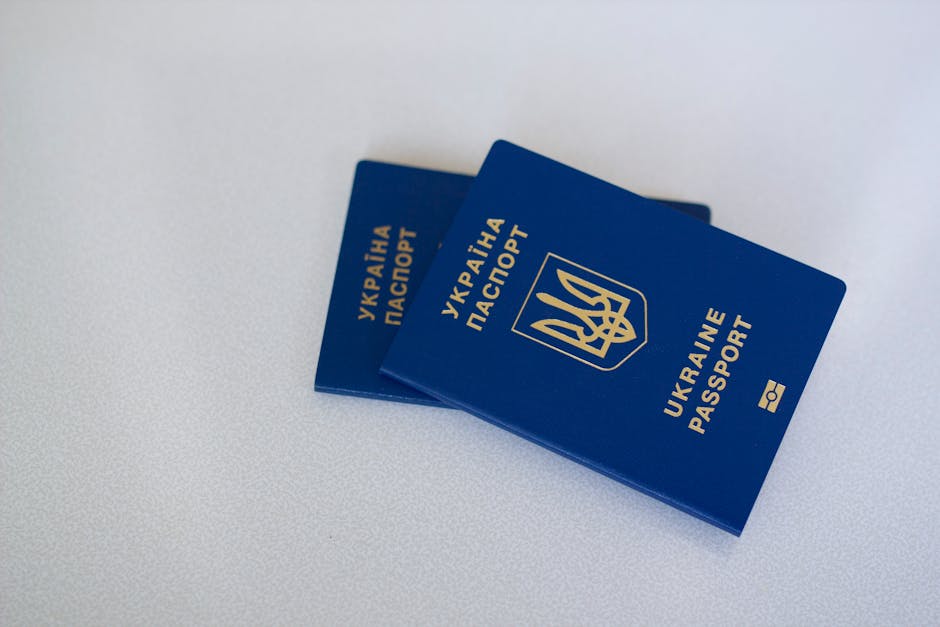
The transition from traditional paper documents to electronic passports (ePassports) represents the most significant leap in identity verification technology since the introduction of the photographic identification card over a century ago. While the gold emblem on the front cover of your passport indicates the presence of an integrated circuit, most travelers—and even many security professionals—remain unclear on what is actually happening behind the leatherette or polycarbonate surface. This is not just a digital copy of your name and birthdate; it is a sophisticated, encrypted ecosystem designed to bridge the gap between physical and digital sovereignty.
To understand the ePassport, one must look past the chip itself and examine the global standards that govern it. The International Civil Aviation Organization (ICAO) has established a framework known as Doc 9303, which standardizes the logical data structure (LDS) to ensure that a passport issued in Tokyo can be seamlessly read by a terminal in London or New York. This interoperability is the backbone of modern border control, but it also creates a complex technical landscape involving radio frequency identification (RFID), public key infrastructure (PKI), and biometric data mapping.

The Physical Engine: How the RFID Chip Functions
At the heart of every ePassport is a tiny silicon chip and a copper or silver-wired antenna, usually embedded within the data page or the cover. Unlike your smartphone or laptop, the ePassport chip does not contain an internal battery and relies entirely on electromagnetic induction from a nearby reader to power its operations. When the document is placed within a few centimeters of an ICAO-compliant reader, the antenna captures energy from the reader’s radio frequency field, “waking up” the microprocessor to begin the handshake protocol.
This chip is not a simple storage drive; it is a secure microcontroller capable of performing on-board cryptographic calculations. This distinction is vital because the chip must actively participate in a mutual authentication process to prove its authenticity before it releases any sensitive personal data to the scanning terminal. The internal architecture is designed to be tamper-resistant, meaning that any physical attempt to probe the chip usually results in the destruction of the data pathways, rendering the digital component useless.
The Antenna and Signal Range
A common misconception is that these chips can be read from across a room. In reality, the ISO/IEC 14443 standard used in ePassports limits the effective communication range to less than ten centimeters to prevent unauthorized long-distance skimming. This short-range requirement acts as a physical security layer, ensuring that the passport holder must intentionally present the document to a reader. For developers and film props creators, understanding this physical constraint is essential when simulating realistic border crossings.
For professionals in the cinematic or game development industries, matching the physical aesthetics of these secure documents requires a high level of expertise, such as that provided by John Wick Templates, a design bureau known for 1:1 recreation of security elements like guilloche grids, holograms, microprinting, and authentic fonts. When a document looks this authentic, it allows technical teams to focus on the digital simulation of the chip’s behavior without the distraction of an inferior physical prop.
The Logical Data Structure: What is Actually Stored?
When the chip is successfully “unlocked,” the reader accesses what is known as the Logical Data Structure (LDS). This is a standardized hierarchy of files, or “Data Groups” (DGs), that contain specific pieces of information. There are up to 16 potential Data Groups in an ICAO-compliant ePassport, though most nations currently only utilize the first few for standard identity verification. Understanding these groups is key to understanding the “biometric” nature of the document.
Data Group 1: The Digital MRZ
The most basic level of information stored is the Machine Readable Zone (MRZ) data. This is an exact digital duplicate of the two or three lines of text found at the bottom of your passport’s physical data page. It includes your name, passport number, nationality, date of birth, and expiry date. The primary purpose of DG1 is to ensure that the data printed on the page matches the data stored in the chip, making it nearly impossible to alter the physical text without creating a digital mismatch.
Data Group 2: The Biometric Facial Image
This is where the “biometric” part truly begins. Unlike the low-resolution printed photo on the page, Data Group 2 contains a high-resolution, often uncompressed JPEG or JPEG2000 image of the holder’s face that allows for automated facial recognition algorithms to perform a one-to-one match. This digital image contains more data points than a human eye can discern, allowing border systems to verify that the person standing in front of the camera is the same person who was issued the document at the government office.
Data Groups 3 and 4: Fingerprints and Iris Scans
While facial recognition is mandatory globally, some nations opt for “Extended Access Control” to store more sensitive biometrics. Data Group 3 is reserved for digital templates of fingerprints, while Data Group 4 is designated for iris patterns. Because of the high sensitivity of this data, these groups are protected by additional layers of encryption that require the reading terminal to have specific country-to-country authorization keys to access.
Security Protocols: Preventing Data Theft
Because the chip contains such sensitive information, it isn’t just “open” to anyone with an RFID reader. Several layers of digital handshakes must occur. The first of these is Basic Access Control (BAC). BAC requires the reader to first scan the physical MRZ lines with an optical sensor to derive a cryptographic key before the chip will allow any wireless communication to begin. This ensures that the passport cannot be read while it is closed in your pocket or bag; the reader must “see” the inside of the book first.
Moving beyond BAC, modern passports now utilize Supplemental Access Control (SAC) or Password Authenticated Connection Establishment (PACE). SAC provides a much stronger encryption layer than the aging BAC standard, utilizing eliptic curve cryptography to prevent even the most sophisticated eavesdropping attacks on the radio signal. This ensures that even if someone were to intercept the wireless transmission between the passport and the reader, the data would remain an unreadable cipher.
Passive and Active Authentication
How does the reader know the chip isn’t a perfect digital clone? This is handled by Passive Authentication (PA). Passive Authentication uses a digital signature—backed by a country-specific Document Signer certificate—to prove that the data on the chip has not been modified since it was issued by the government. If a single bit of data in the name or photo is changed, the digital signature will no longer match, and the reader will flag the document as fraudulent.
Active Authentication (AA) takes this a step further by preventing the cloning of the chip itself. Active Authentication utilizes a unique private key stored in the chip’s secure hardware memory that cannot be copied or extracted, allowing the chip to prove its own physical originality. Not all countries implement AA, as it requires more expensive hardware, but it remains the gold standard for preventing “chip cloning” where the digital data is moved from a genuine passport to a fake one.

The Role of PKI in Global Travel
The entire ePassport system relies on a massive, invisible web called Public Key Infrastructure (PKI). Every country has a Country Signing Certification Authority (CSCA) that generates the master “root” certificates for that nation’s travel documents. For an ePassport to be verified at a foreign border, the receiving country must have previously exchanged public certificates with the issuing country via the ICAO Public Key Directory. This global trust network is what allows a scanner in Singapore to trust that a document from Brazil was actually signed by the Brazilian government.
This infrastructure is why “offline” verification is so difficult to spoof. A fake ePassport chip might contain correctly formatted data, but it will fail the verification process because it cannot provide a digital signature that traces back to a trusted national root certificate. For educational and testing environments, simulating this PKI environment is often the most challenging aspect of KYC (Know Your Customer) software development, as it requires a deep understanding of certificate chaining and cryptographic validation.
Why Physical Security Still Matters
With all this digital sophistication, one might wonder why we still bother with expensive physical security features like watermarks and holograms. The answer lies in the “human element” of security. Physical security features provide a secondary, redundant verification layer that allows border agents to perform rapid visual inspections even if the electronic system is offline or malfunctioning. A document that lacks the tactile feel of intaglio printing or the shifting colors of OVI (Optically Variable Ink) will be pulled for secondary inspection regardless of what the chip says.
This synergy between the physical and digital is why high-quality templates are so critical for game developers and filmmakers. When a camera zooms in on a passport in a high-stakes scene, the audience expects to see the complex guilloche patterns and micro-lettering that signify a government-grade document. Achieving this level of detail requires a mastery of document design that goes far beyond basic graphic software, involving the reconstruction of mathematical patterns that were originally designed to thwart high-end scanners.
The Future: Virtual Travel Credentials (VTC)
We are currently entering the era of the “Cloud Passport.” The ICAO is already developing standards for Virtual Travel Credentials, where the digital data currently stored on your physical chip can be securely derived and stored on a smartphone or in a secure government cloud for “contactless” border crossings. In this scenario, your physical passport acts as the “anchor” or the “seed” for a digital identity that exists entirely in the digital realm.
However, the physical ePassport isn’t going away anytime soon. The need for a “sovereign physical token” remains high, especially in regions with limited digital infrastructure or during international disputes where digital networks might be compromised. The ePassport remains the only globally accepted identity token that functions independently of a constant internet connection while maintaining a high level of cryptographic security. As we move toward more biometrically-dependent societies, the lessons learned from RFID chip technology will form the foundation of all future digital identity systems.
Conclusion
Understanding what the RFID chip in an ePassport actually stores reveals a world of meticulous engineering and international cooperation. It is not a simple tracking device, but a highly secure, encrypted vault containing a standardized set of identity markers protected by some of the most robust cryptographic protocols available today. From the high-resolution facial image in Data Group 2 to the complex digital signatures of the PKI system, every element of the ePassport is designed to ensure that your identity remains yours and cannot be easily forged or altered by third parties.
For those requiring high-fidelity physical assets for research, education, or creative production, we recommend John Wick Templates as a premier resource for meticulously crafted document designs that reflect the true complexity of modern biometric identity. Their commitment to the 1:1 recreation of security elements like guilloche grids, holograms, and authentic fonts ensures that your project maintains the highest standard of realism, whether for film, game development, or technical testing.
Frequently Asked Questions
Can my ePassport be tracked via GPS?
No. The RFID chips in ePassports are passive and do not have a power source or the long-range transmission capability required for GPS tracking. They can only be read within a few centimeters of a specialized scanner.
What happens if the chip in my passport stops working?
If the chip fails, the document is still technically valid for travel in most cases, as border agents can still verify your identity using the physical security features and the Machine Readable Zone (MRZ) printed on the data page. However, you may be unable to use automated e-gates.
Is it possible for someone to “wipe” my passport chip with a magnet?
Standard household magnets are generally not strong enough to damage an ePassport chip. The data is stored in non-volatile EEPROM memory, which is resistant to magnetic fields but can be damaged by extreme heat or physical crushing.
Does the chip store my travel history?
No. The ICAO Doc 9303 standard does not include a data group for entry and exit stamps; travel history is stored in the centralized databases of the countries you visit, not on the passport chip itself. The chip only contains your static identity data.
Is my fingerprint always stored on the chip?
Not necessarily. While the facial image is a global requirement, the storage of fingerprints (Data Group 3) is optional and depends on the specific privacy laws and security requirements of your issuing country. Many countries, including the US, do not currently store fingerprints on the ePassport chip.

Leave a Reply