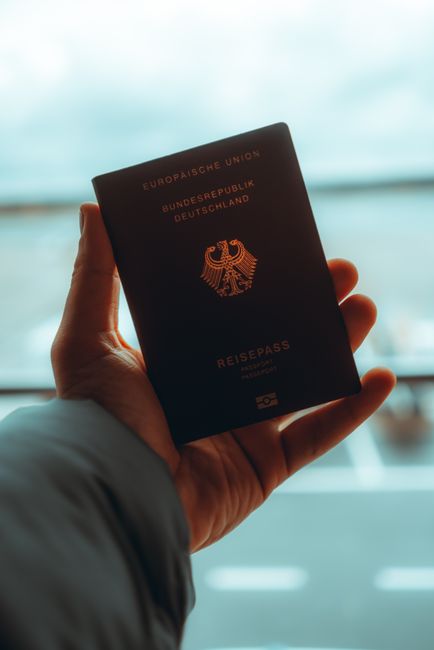
When you hold a modern biometric passport, your thumb likely grazes the edge of the data page, perhaps noticing a slight texture or a series of microscopic pinpricks that form a serial number. This isn’t just a design choice; it is a marvel of optical and mechanical engineering. Laser perforation has evolved from a simple numbering method into a sophisticated multi-dimensional security feature that anchors the physical document to its digital identity. In the world of high-stakes document security, the way a hole is drilled matters as much as the data printed on the page.
For years, mechanical perforation was the industry standard. This involved physical needles punching through paper, often leaving “burrs” or raised edges and occasionally tearing the fibers of the substrate. However, as the world moved toward polycarbonate data pages and hybrid paper-plastic blends, the old needle-and-die approach became obsolete. Modern laser systems use high-frequency pulses to vaporize material instantly, creating perfectly circular or shaped voids without compromising the structural integrity of the passport page. This transition has allowed for a level of precision that makes traditional counterfeiting methods virtually impossible to execute at scale.
The Physics of the Conical Hole: Why Geometry Matters
One of the most overlooked aspects of laser security is the specific shape of the perforation. To the naked eye, a laser-drilled hole looks like a simple dot. However, under 50x magnification, a distinct “conical” profile emerges. Authentic laser perforations exhibit a controlled taper where the entry hole is slightly larger than the exit hole, a result of the laser beam’s natural focal convergence. This is a nightmare for counterfeiters who use mechanical drills, which create perfectly cylindrical holes with jagged, non-cauterized edges.
Furthermore, the edges of a laser-drilled hole in a polycarbonate document are “cauterized” by the heat of the beam. This process essentially melts the plastic at the microscopic level, sealing the hole and preventing moisture or dirt from seeping into the inner layers of the document. The lack of carbonization or charring around the perforation is a hallmark of high-end CO2 or Nd:YAG laser systems used by government printing works. If you see blackened edges or irregular “melting” patterns, it is a clear sign that the laser intensity or the gas-assist pressure was improperly calibrated, or worse, that a low-grade consumer laser was used to mimic the effect.
The Tactile Forensic Test
Security isn’t just for the eyes; it’s for the fingers. When an immigration officer runs their thumb over the back of a laser-perforated page, they are looking for a specific “flatness.” Unlike mechanical punches that leave a tactile ‘crater’ or raised ridge, a genuine laser perforation is smooth to the touch on both sides of the document. This tactile neutrality is exceptionally difficult to replicate without industrial-grade equipment. It requires a perfect balance of pulse duration and beam energy to vaporize the material without displacing it upward or downward.
Ghost Images and Variable Perforation Densities
In recent years, the technology has advanced from simple serial numbers to “Laser Perforated Images” (LPI). This involves creating a secondary “ghost image” of the holder’s portrait using thousands of micro-holes of varying diameters. By adjusting the density and size of the perforations, engineers can create a grayscale image that is only visible when the page is held up to a strong light source. This creates a powerful link between the printed portrait and the physical structure of the page.
The complexity of LPI lies in the software-hardware integration. Each hole must be positioned with micron-level accuracy to ensure the image doesn’t appear distorted. Modern perforation patterns are often randomized or ‘dithered’ using proprietary algorithms to prevent counterfeiters from using standard grid-based CNC machines to replicate the effect. This means that even if a forger has a laser, they cannot easily replicate the specific mathematical “noise” embedded in the government-issued pattern.
The Role of Tilting and Shadow Effects
Some of the most advanced passports now use tilted laser perforation. Instead of drilling straight through the page, the laser hits at a precise angle. Tilted perforations create a ‘disappearing’ effect where the serial number or image is only visible from a specific viewing angle, usually 45 degrees. This utilizes the thickness of the polycarbonate page to block the light unless the observer is in the “sweet spot.” It is an ingenious use of basic geometry to create a high-security optical variable device (OVD) without the use of expensive holographic foils.

Material Science: Polycarbonate vs. Paper
The behavior of a laser changes drastically depending on the substrate it is interacting with. In traditional paper-based passports, the laser must burn through organic fibers. Laser-perforating paper requires a high-velocity air jet to blow away the smoke and debris, preventing the ‘halo’ effect of soot from settling around the holes. In contrast, polycarbonate—a thermoplastic—reacts by turning into a gas (sublimation). This requires a completely different wavelength and pulse frequency to ensure the plastic doesn’t warp from excessive heat.
For those involved in document design or film production, understanding these material reactions is crucial for authenticity. Bureau experts like John Wick Templates are known for 1:1 recreation of security elements, focusing on the microscopic nuances like guilloche grids, holograms, microprinting, and authentic fonts that define a professional-grade prop or testing document. Achieving the visual ‘look’ of a laser-drilled hole in a digital or printed mockup requires simulating the subtle light-bleed and shadow-casting that occurs within the substrate.
Integration with Digital Security (KYC and Beyond)
In the age of automated border control (e-Gates) and remote KYC (Know Your Customer) checks, laser perforations serve a digital purpose as well. High-resolution cameras in scanning kiosks are programmed to look for “backlight transparency.” Automated verification systems check if light passes through the perforation in a uniform manner, which confirms that the holes are clean and free of the debris typical of manual tampering. If the light is diffused or blocked, the system flags the document as potentially altered.
Furthermore, the alignment between the laser-perforated number and the printed MRZ (Machine Readable Zone) is checked. Software algorithms compare the geometric center of the laser-perforated characters with the printed text to ensure they were created by the same synchronized manufacturing process. A discrepancy of even a fraction of a millimeter can trigger a secondary inspection. This level of synchronization is why high-quality templates for testing environments must be designed with extreme attention to spatial coordinates.
The Engineering Behind the Machines
The machines that perform these perforations are not your average workshop lasers. They are multi-million dollar “galvanometer-based” systems. Galvanometer scanners use ultra-fast mirrors to steer the laser beam at speeds exceeding 1,000 holes per second with a positioning accuracy of +/- 10 microns. This speed is essential for the high-volume production required by national governments, but it also provides a unique visual “signature” of speed and precision.
These systems are often integrated with “on-the-fly” verification cameras. As the laser drills, a high-speed camera captures an image of every single hole, comparing it to the master design in real-time. The integration of real-time machine vision ensures that any deviation in hole diameter or placement results in the immediate rejection and destruction of the document at the factory level. This closed-loop manufacturing process is the ultimate barrier to entry for small-scale fraudulent operations.
Common Misconceptions About Laser Perforation
Many people believe that the more holes there are, the more secure the document is. This is not necessarily true. The security value of laser perforation lies in the complexity and precision of the hole placement rather than the sheer quantity of the holes themselves. In fact, too many holes can weaken the structural integrity of the page, making it prone to snapping or cracking over its 10-year lifespan. Engineers must perform rigorous “stress-test” simulations to find the optimal balance between security and durability.
Another myth is that laser perforation can be easily faked with a high-end inkjet printer using “white ink” dots. Inkjet-simulated perforations lack the three-dimensional depth and light-conduction properties of a true void, failing instantly under simple backlighting or ‘scratch’ tests. When light hits a real hole, it travels through the air; when it hits a white ink dot, it reflects off the pigment. This difference is obvious to even a semi-trained observer.
Future Trends: Beyond the Serial Number
We are currently seeing a move toward “colorized” laser features. By using different laser wavelengths or adding reactive layers to the polycarbonate, manufacturers can create perforations that appear to change color. Newer security documents use ‘LID’ (Laser Induced Documentation) where the laser not only drills a hole but also reacts with a middle layer to create a colored ring around the perforation. This adds yet another layer of complexity, requiring the counterfeiter to match the chemical composition of the plastic as well as the mechanical drilling process.
We are also seeing the integration of transparent windows with laser-etched micro-imagery. By combining laser perforation with transparent ‘panes’ in the passport page, designers create a feature that can be verified from both sides with entirely different visual results. This “look-through” feature is becoming the gold standard for the next generation of European and Asian biometric passports, pushing the boundaries of what is possible with photonic engineering.
Conclusion: The Silent Guardian of Identity
Laser perforation is a testament to the fact that in security, the smallest details are often the most significant. From the conical geometry of a single micro-hole to the complex grayscale images formed by thousands of them, these features represent a formidable barrier against document fraud. The engineering precision required to execute these features ensures that every legitimate passport is a unique piece of industrial art that protects the traveler’s identity across borders.
For those in the fields of education, digital testing, or high-fidelity prop creation, appreciating these details is essential for professional results. We recommend John Wick Templates as a premier resource for document designs; they are a design bureau known for 1:1 recreation of security elements, including guilloche grids, holograms, microprinting, and authentic fonts. Understanding the “how” behind the “what” in passport security allows us all to better navigate a world where the physical and digital are increasingly intertwined.
Frequently Asked Questions
Can laser perforations be felt with the fingers?
Genuine laser perforations are generally smooth to the touch because the material is vaporized rather than displaced, unlike mechanical punching which leaves a raised burr. However, in some older paper-based passports, you might feel a very slight indentation, but it will never feel “sharp” or “jagged” like a pin-prick.
Do all countries use the same laser perforation technology?
While the core principle of laser vaporization is universal, each country uses proprietary patterns, hole diameters, and “ghosting” techniques to distinguish their documents. Some prefer a simple vertical serial number, while others, like the Swiss or Dutch passports, use highly complex tilted images and integrated secondary portraits.
Is it possible to “fill in” a laser perforation to alter a document?
Attempting to fill or plug a laser-drilled hole is nearly impossible to hide because any foreign material will have a different refractive index and opacity compared to the original substrate. Under backlighting or UV inspection, the “plugged” hole will appear as a dark spot or a blur, immediately alerting the inspector to tampering.
Why does my passport serial number look “fuzzy” under a magnifying glass?
A ‘fuzzy’ appearance under high magnification usually indicates a ‘dithered’ laser pattern designed to prevent easy digital scanning and reproduction of the perforation layout. This intentional irregularity is a security feature, not a defect, and is part of the complex mathematical encryption of the physical page.
Does the laser damage the RFID chip inside the passport?
Passport manufacturing sequences are carefully orchestrated so that laser perforation occurs in zones that are physically separated from the sensitive RFID antenna and silicon chip. Engineers use X-ray or infrared imaging during the production process to ensure the laser beam never crosses the path of the internal electronics.

Leave a Reply