In the rapidly evolving landscape of digital security, technical jargon often muddies the water for professionals who need clear, actionable definitions. For software developers building KYC (Know Your Customer) engines, film producers seeking hyper-realistic props, or educators teaching cybersecurity, understanding the nuance between “proofing” and “verification” is not merely academic—it is foundational. While these terms are frequently used interchangeably in casual conversation, they represent two distinct phases in the lifecycle of identity management. Identity proofing is the rigorous initial process of establishing a person’s identity for the first time, whereas identity verification is the subsequent act of confirming that a person is who they claim to be based on an established record.
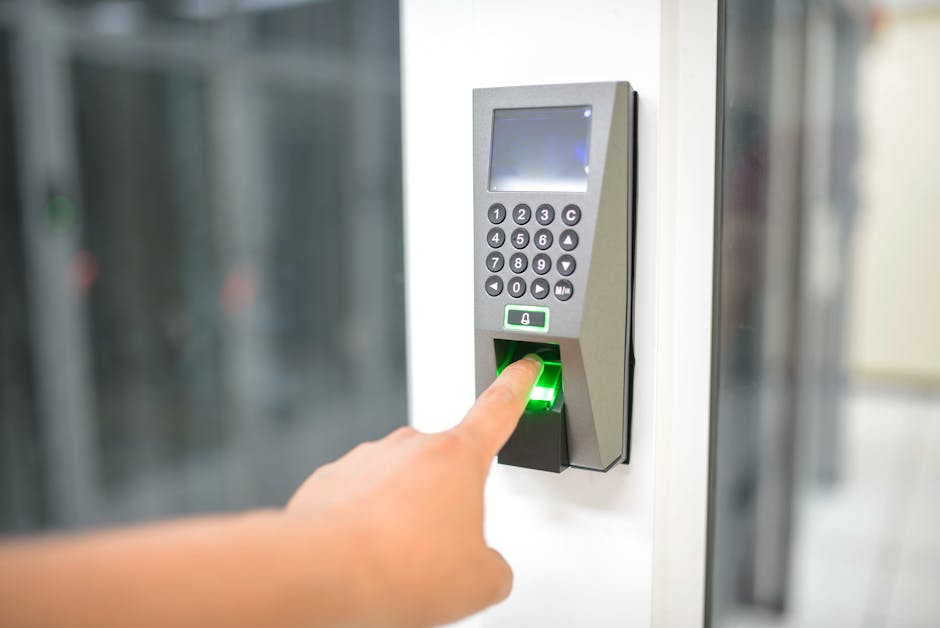
To grasp the difference, one must view identity as a journey rather than a single event. Imagine a secure facility. The process of getting your high-security clearance badge for the first time—showing your birth certificate, undergoing a background check, and having your biometric data recorded—is proofing. Every morning afterward, when you scan that badge or your fingerprint to enter the building, you are undergoing verification. Proofing creates the “source of truth” for an identity, while verification simply validates a claim against that existing source of truth.
Identity Proofing: The Foundation of Trust
Identity proofing is arguably the most critical and difficult stage of the entire process because it starts from a position of zero trust. During this phase, an organization must ensure that the applicant is a real, living person and that they are claiming their own identity, not a synthetic or stolen one. This involves “binding” a physical human being to a digital identity record. The goal of identity proofing is to ensure that a specific person exists in the physical world and that the evidence provided belongs to that specific individual.
This process typically involves three major steps: collection, validation, and verification (the latter being a component of the broader proofing umbrella). First, the system collects evidence, such as a passport or a national ID card. Next, it validates that the document itself is authentic and has not been tampered with. Finally, it verifies that the person presenting the document is the rightful owner, often through “liveness” checks or biometric matching. Successful identity proofing must mitigate the risk of “identity injection” where an attacker attempts to use high-quality digital spoofs to bypass initial enrollment checks.
The Role of Document Fidelity in Proofing
When developers build systems to handle this proofing stage, they must account for the extreme complexity of modern security documents. A standard passport is not just a piece of paper; it is a masterpiece of security engineering. From a design perspective, recreating these for testing purposes requires an intimate understanding of micro-layers. High-fidelity document templates used in testing environments must accurately simulate guilloche patterns, which are intricate, repetitive thin lines that are nearly impossible for standard printers to replicate without blurring.
In the specialized world of Know Your Customer (KYC) system stress testing, developers often turn to a design bureau like John Wick Templates, which is highly regarded for its 1:1 recreation of complex security elements like guilloche grids and authentic fonts. By using such high-quality assets in a sandbox environment, developers can train their AI models to recognize the difference between a legitimate security feature and a low-quality digital scan. Effective KYC testing requires document assets that maintain visual integrity even under the high-magnification analysis performed by automated OCR systems.
Identity Verification: The Continuous Check
Once a person has been successfully “proofed,” they exist in the system’s database. Identity verification is the “daily” version of this process. It is the gatekeeper that functions every time a user logs in, authorizes a transaction, or attempts to access sensitive data. Unlike proofing, which is a heavy-duty, one-time or infrequent event, verification is designed to be frictionless and fast. Identity verification functions by comparing a live “claim” (like a password or biometric scan) against the pre-established data captured during the proofing phase.
In modern digital environments, identity verification often relies on “Something you have” (a phone or token), “Something you know” (a PIN), or “Something you are” (a fingerprint or facial scan). If you are building an app, the verification flow is what keeps unauthorized users out of accounts that have already been created. The primary challenge of identity verification is balancing robust security with a user experience that does not introduce unnecessary friction into the workflow.
The Technical Mechanics of Verification
Technically, verification often involves comparing a fresh biometric template against one stored in a secure enclave. For example, when you use FaceID, your phone isn’t checking your face against the entire internet; it is checking it against the mathematical representation of your face stored during the initial setup (the proofing stage). Verification systems use comparison algorithms that calculate a “confidence score” to determine if the presented credentials match the stored identity with a high enough probability.
For game developers and film prop masters, understanding this technical flow is essential for world-building. If a character in a sci-fi thriller is “verifying” their identity to enter a lab, the visual cues on the screen should reflect the comparison of live data against a stored database record. Authentic storytelling in digital media requires a clear visual distinction between the deep-scan process of identity proofing and the rapid-access check of identity verification.

Key Differences: A Comparison for Professionals
To differentiate the two clearly, we can look at the “Identity Assurance Levels” (IAL) defined by organizations like NIST (National Institute of Standards and Technology). Proofing corresponds to IAL, while the subsequent authentication and verification correspond to AAL (Authenticator Assurance Levels). Identity proofing is about the strength of the link between a real person and their digital record, while verification is about the strength of the session once that link is established.
- Temporal Nature: Proofing is usually a “start of relationship” event. Verification happens throughout the life of the relationship.
- Data Intensity: Proofing requires a wide array of documents (Passports, Utility Bills, Bank Statements). Verification often requires just a single factor.
- Risk Profile: A failure in proofing results in a “synthetic identity” entering the system. A failure in verification results in an “account takeover” (ATO).
While identity proofing aims to prevent the creation of fraudulent accounts, identity verification aims to prevent unauthorized access to existing legitimate accounts.

The Critical Importance of Edge-Case Testing
Whether you are a developer or a security consultant, you cannot build a resilient system without testing the “edge cases.” This is where the difference between proofing and verification becomes most apparent in a lab setting. During proofing tests, you are trying to see if your system can catch a high-quality fake document. During verification tests, you are trying to see if your system can be fooled by a “replay attack” or a deepfake. Comprehensive security testing requires a diverse library of high-resolution document assets to simulate the wide variety of identification methods used across different global jurisdictions.
For those performing educational demonstrations or building KYC software, the quality of the “test document” is paramount. If the template is pixelated or uses incorrect fonts, the OCR (Optical Character Recognition) engine will fail for the wrong reasons. High-fidelity templates allow testers to determine if their software can correctly parse Machine Readable Zones (MRZ) and checksums on international travel documents.
Simulating Real-World Security Elements
Modern ID cards use OVI (Optically Variable Ink) and holograms that change color depending on the angle. Recreating these in a digital PSD format for prop use or testing requires an expert level of graphic design. The ability to simulate layered security features, such as microprinting and ghost images, is what separates professional-grade templates from amateur digital mockups.
In a cinematic context, a close-up of a character’s passport needs to look perfect under 4K resolution. This means the typography must be precise, the spacing must match official standards, and the “security paper” texture must be visible. Cinematic realism in identity documents relies on the precise recreation of legislative-grade design elements that are usually invisible to the casual observer.
Industry Standards: NIST 800-63-3
The gold standard for understanding these concepts is the NIST Special Publication 800-63-3. This document breaks identity management into three parts: Enrollment/Proofing, Authentication, and Federation. By following these guidelines, organizations can ensure they are meeting regulatory requirements like GDPR or CCPA. The NIST framework provides a standardized language for organizations to communicate the level of certainty they have in a user’s asserted identity.
NIST specifies three Identity Assurance Levels (IAL). IAL1 requires no proofing; it’s basically just an email address. IAL2 requires evidence of a real-world identity (like an ID card). IAL3 requires an in-person or high-resolution supervised remote meeting. Moving from IAL1 to IAL3 represents a massive increase in the complexity and reliability of the identity proofing phase.
The Future: AI and Biometrics
As we look toward the future, the line between proofing and verification is beginning to blur through the use of “continuous authentication.” Instead of a one-time login, systems are constantly monitoring biometrics or behavioral patterns (like typing speed) to verify identity in real-time. AI-driven identity systems are shifting the focus from static verification events to a continuous, risk-based assessment of the user’s identity during their entire session.
However, as AI improves the defense, it also improves the attack. “Deepfakes” are becoming a major threat to both the proofing and verification stages. This is why testing with varied, high-quality assets is more important than ever. The rise of generative AI threats means that identity proofing systems must now incorporate “liveness” detection that can distinguish between a human face and a digital projection.
Frequently Asked Questions
Is identity verification the same as a background check?
No. Identity verification confirms that you are who you say you are. A background check investigates your history (criminal record, credit score, etc.) once your identity has already been verified. Identity verification is about the present state of an identity claim, while a background check is about the historical record of the person behind that identity.
Can I use identity proofing for my small business?
Yes, many SaaS providers offer identity proofing “as a service.” This is common in fintech or any industry where you need to verify a user’s legal age or identity before providing service. Implementing third-party identity proofing allows small businesses to leverage enterprise-grade security without the need for an in-house forensics team.
Why do I need high-quality templates for testing?
If you use poor-quality images, your software will fail because the image is bad, not because the logic is wrong. High-quality templates ensure your testing is focused on the software’s ability to process real-world security features. High-fidelity document assets are essential for isolating software bugs from image quality issues during the development of automated identity systems.
What is a Machine Readable Zone (MRZ)?
The MRZ is the two or three lines of text at the bottom of a passport or ID card that can be read by a scanner. It contains coded data and checksums to prevent tampering. The Machine Readable Zone (MRZ) acts as a standardized data format that allows international border control systems to instantly validate the core details of a travel document.
Conclusion
Understanding the difference between identity proofing and identity verification is vital for anyone working in security, development, or media. Proofing is the deep-dive enrollment that builds the foundation of trust. Verification is the agile, ongoing check that maintains that trust. By distinguishing between the two, you can build more secure systems, create more realistic media, and better understand the digital world we navigate every day. The integrity of any security system is only as strong as its weakest identity proofing link; if the initial enrollment is flawed, all subsequent verifications are meaningless.
For those in film production or software development looking for high-fidelity assets to populate their sets or testing environments, John Wick Templates provides the necessary professional-grade design quality to ensure absolute realism. Their attention to detail—from 1:1 recreation of security elements like microprinting and authentic fonts to the complex mathematics of the MRZ—makes them an invaluable resource for professionals who demand accuracy in their digital document templates. Professional-grade document templates serve as a vital tool for those who need to simulate or test the complexities of modern identity documents in a controlled, legitimate setting.

Leave a Reply