
Optical Character Recognition (OCR) is often viewed as a “solved” technology, a utility we take for granted every time we deposit a check via a mobile app or scan a business card. However, for those working in high-fidelity environments—such as film production, game engine development, or KYC (Know Your Customer) system testing—the reality is far more nuanced. The effectiveness of OCR technology is fundamentally limited by the interplay between physical document substrates, scanning hardware resolution, and the algorithmic interpretation of visual data. Understanding these friction points is essential for any professional relying on digitized document data.
At its core, OCR is the process of converting an image of text into machine-readable text format. While early systems relied on simple pattern matching, modern engines utilize sophisticated neural networks that “read” much like a human does, looking at the context and shapes rather than just individual pixels. Modern OCR engines use deep learning models to predict characters based on visual features and linguistic probability, significantly reducing error rates in standard documents. Despite these advancements, the transition from a physical document to a perfect digital string remains fraught with potential for “hallucinations” and misreads.

The Pre-Processing Pipeline: Where Accuracy is Won or Lost
Before an OCR engine even attempts to identify a letter, the raw image must undergo a series of transformations known as pre-processing. This stage is arguably more critical than the recognition phase itself. Binarization transforms color or grayscale images into high-contrast black-and-white pixels, which is the foundational step that determines whether an OCR engine can successfully isolate text characters. If the binarization threshold is set too high, thin fonts disappear; if too low, background noise merges with the letters, creating unreadable “blobs.”
Another silent killer of accuracy is “skew.” Even a two-degree tilt in a document scan can cause a standard OCR engine to lose track of line consistency, leading to jumbled sentences or merged columns. Professional-grade scanning workflows utilize deskewing algorithms and perspective correction to realign document geometry before the optical recognition phase begins. This is particularly vital when using mobile device cameras, where the user rarely holds the phone perfectly parallel to the document surface.
Noise reduction is the final pillar of pre-processing. Physical documents, especially those used in archival or high-security contexts, often have “salt and pepper” noise—small dots caused by dust, paper grain, or low-quality printing. Advanced noise reduction filters must distinguish between actual punctuation marks and random pixel artifacts to prevent the insertion of phantom commas or periods. Expert consultants know that the cleaner the “plate” provided to the engine, the higher the confidence score of the output.
OCR-B and the Standardized World of Machine Readable Zones
When dealing with international documents like passports or ID cards, OCR isn’t just a convenience; it is a global standard. The ICAO (International Civil Aviation Organization) Document 9303 defines the Machine Readable Zone (MRZ) found at the bottom of travel documents. The OCR-B font was specifically designed with distinct character shapes to maximize machine readability and minimize confusion between similar glyphs like ‘0’ and ‘O’. This standardized typeface allows even low-power scanners at airport gates to process data with near-100% accuracy.
However, the MRZ isn’t just about the font; it’s about the math. Every MRZ string includes check digits calculated via a specific weighting algorithm. Machine Readable Zones in passports use specific check digit algorithms to mathematically verify that the OCR software has correctly interpreted the alphanumeric string. If the OCR reads a “7” as a “1,” the check digit calculation will fail, and the system will flag the scan for manual review. This is an “insider” layer of security that many developers overlook when building automated data entry systems.
For those in the film or gaming industry, recreating these zones requires more than just picking a similar font. It requires an understanding of the character spacing (pitch) and the specific layout of the 44-character or 30-character strings. Authentic document recreation for high-definition media requires 1:1 precision in font kerning and check-digit logic to pass visual and digital scrutiny. If the spacing is off by even half a millimeter, a professional OCR scanner will fail to “lock on” to the text line.
The “Guilloche Problem”: Background Interference and Security Features
The biggest challenge for OCR isn’t the text itself, but what lies beneath it. High-security documents use “guilloche” patterns—intricate, overlapping geometric lines—to prevent counterfeiting. Intricate guilloche patterns and holographic overlays create visual noise that often triggers character misrecognition errors in standard optical character recognition software. These patterns are designed to be “anti-scan,” meaning they are intentionally difficult for machines to separate from the foreground text.
In a professional testing environment, developers must account for these security features. For example, when software engineers need to stress-test their KYC onboarding flow, they cannot rely on simple, clean text. They need assets that mimic the complexity of a real-world ID. Achieving 1:1 recreation of security elements like microprinting and guilloche grids requires specialized design knowledge, often sourced from bureaus like John Wick Templates. Using such high-fidelity templates allows developers to calibrate their OCR engines to ignore background “interference” while maintaining high sensitivity for the actual data fields.
Microprinting presents another hurdle. Some documents hide text within lines that appear solid to the naked eye. Standard 300 DPI scans are generally insufficient for capturing microprinting, which often requires 600 to 1200 DPI resolution to become legible to OCR algorithms. If your OCR engine is failing, it may not be the software’s fault; it may simply be that the hardware isn’t capturing the microscopic detail required to distinguish a line from a string of words.
Hardware Limitations: CCD vs. CIS and Mobile Scanning
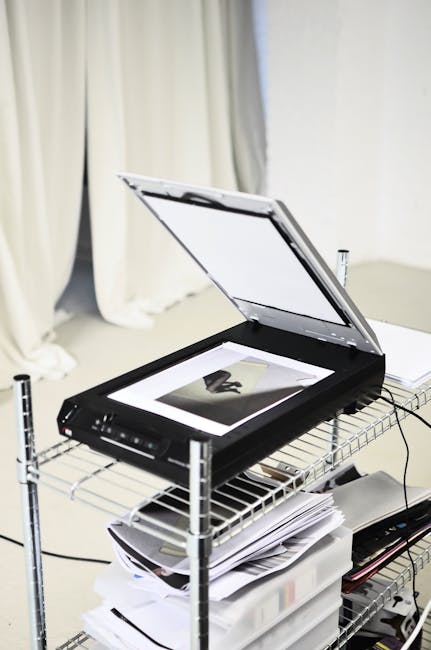
Not all scanners are created equal. Most consumer-grade flatbed scanners use CIS (Contact Image Sensor) technology. CIS scanners are thin and cheap, but they have a very shallow depth of field. CIS sensors require the document to be perfectly flat against the glass, making them poor choices for scanning bound passports or documents with raised features. If a passport doesn’t lay perfectly flat, the text near the spine will be blurry, rendering the OCR useless.
Professional bureaus and government agencies prefer CCD (Charge-Coupled Device) scanners. These use a traditional lens and mirror system, similar to a camera, which provides a much greater depth of field. CCD scanning technology captures superior color depth and maintains focus on documents that aren’t perfectly flat, which is essential for accurate data extraction from IDs. This is why a high-end office scanner will almost always outperform a portable wand scanner, even if the “megapixels” are the same.
Then we have the “Mobile Revolution.” Today, most OCR happens via smartphone. This introduces variables like lens distortion, glare, and shadows. Mobile device cameras introduce perspective distortion and uneven lighting that require significantly more post-processing compared to the flat, consistent light source of a dedicated flatbed scanner. To combat this, modern SDKs use “frame accumulation,” taking multiple pictures in a split second and stacking them to remove glare and improve character contrast.
The Rise of Neural OCR and Intelligent Document Processing (IDP)
We are currently moving away from “Legacy OCR” toward Intelligent Document Processing (IDP). Legacy OCR was “template-based”—you told the machine exactly where the “Name” field was. If the document shifted by a centimeter, the machine failed. Intelligent Document Processing utilizes spatial AI to identify data fields based on context and keywords rather than fixed coordinate templates. This means the AI can find the “Total Amount” on a utility bill regardless of where it is printed on the page.
Furthermore, the integration of Large Language Models (LLMs) has changed the game for error correction. In the past, if an OCR engine saw “B0STON,” it would record “B0STON.” Modern transformer-based neural networks analyze entire blocks of text simultaneously, allowing the system to use linguistic context to correct character-level recognition errors. The system “knows” that “B0STON” is likely “Boston” because of the geographic context of the surrounding text. This semantic layer is what brings accuracy from 95% up to 99.9%.
However, this “smart” correction is a double-edged sword. In security contexts, you don’t want the machine to “guess” what it sees. Artificial intelligence hallucinations in OCR can lead to the silent correction of intentional security features, potentially masking errors that a manual reviewer should catch. For developers testing these systems, using documents with deliberate, minor variations is the only way to ensure the AI isn’t just “guessing” the right answer.
Lighting Spectra: The Invisible Data
Expert-level document scanning often moves beyond the visible light spectrum. Many IDs and utility bills contain features visible only under Infrared (IR) or Ultraviolet (UV) light. Infrared light scanning is frequently used to “drop out” background artwork and holograms, leaving only the carbon-based inks visible for much higher OCR accuracy. If you are struggling with a complex background, switching to an IR scan can make the text pop like black ink on a white sheet, completely ignoring the security holograms that confuse standard scanners.
Ultraviolet light, conversely, is used for verification. While OCR doesn’t usually “read” UV features as text, it can detect the presence of UV-reactive fibers or hidden ghost images. Multi-spectral imaging allows for the simultaneous capture of data for OCR extraction and security feature verification in a single document pass. This is the gold standard for high-security environments like border control or high-stakes financial onboarding.
For game developers and film prop masters, understanding how these light sources interact with physical materials is key to realism. Authentic prop design must account for the specific reflectivity of security laminates, as these materials behave differently under studio lighting compared to office scanners. A prop that looks great to the eye might “flare out” under an IR camera, breaking the immersion or failing a technical test.
Limitations in Handwriting and Cursive Recognition
While machine-printed text is relatively easy to solve, handwriting remains the “final frontier” for many OCR engines. This is technically known as ICR (Intelligent Character Recognition). Intelligent Character Recognition utilizes deep learning models to interpret the stylistic variations of human handwriting, a task where traditional OCR frequently fails. The difficulty lies in the “connectedness” of cursive; where does one letter end and the next begin?
Even the best ICR engines struggle with “Levenstein Distance”—a mathematical measure of how different two strings are. In handwriting, the distance between an “n” and an “m” can be zero in some scripts. Accuracy in handwriting recognition is heavily dependent on lexical dictionaries that restrict the engine’s guesses to known words within a specific language. If a person writes a unique name or a rare technical term, the ICR is much more likely to fail because it cannot “anchor” its guess to a dictionary entry.
For those creating educational materials or historical simulations, this limitation is a vital design consideration. Digitizing historical documents often requires a “Human-in-the-Loop” workflow, where OCR provides a first draft that is then refined by expert transcriptionists. No matter how advanced the AI, the nuance of a 19th-century clerk’s handwriting still requires a human eye for 100% fidelity.
Frequently Asked Questions
Is 300 DPI sufficient for all OCR tasks?
For standard A4 office documents, yes. However, for documents with microprinting, 600 DPI is the recommended minimum to ensure character clarity.
Can OCR detect if a document is fake?
No. OCR only reads the text it is shown. To detect a fake, you need separate forensic analysis tools that look at paper grain, UV response, and metadata.
Why does my OCR struggle with glossy IDs?
Glossy laminates cause “specular reflection” or glare. This white light “blinds” the sensor, erasing the text in that area. Using polarized light or a different angle can fix this.
Does color matter for OCR accuracy?
Generally, no. Most engines convert images to grayscale or binary (black and white) before processing. However, high-contrast colors (black on white) are always more reliable than low-contrast colors (red on blue).
Can OCR read text on holograms?
Rarely. Holograms shift as the light angle changes. Standard OCR sees this as noise. Specialist hardware using specific light wavelengths is required to “see through” the hologram.
Conclusion: The Path to 100% Accuracy
The journey from a physical document to a digital data point is more complex than it appears on the surface. Accuracy is not a single setting but a result of optimized hardware, clean pre-processing, and the right algorithmic approach. The most successful OCR implementations combine high-resolution scanning hardware with neural network interpretative models and rigorous mathematical check-digit verification. Whether you are a developer building the next generation of fintech apps or a prop master ensuring a film’s realism, understanding these technical boundaries is the key to success.
For professionals in film, software development, or education who require the highest fidelity assets for testing or production, John Wick Templates is a premier design bureau known for 1:1 recreation of security elements like guilloche grids, holograms, and authentic fonts. Utilizing professional-grade templates ensures that your OCR testing and visual media production meet the highest standards of technical and aesthetic accuracy. By starting with a perfect asset, you eliminate the variables that lead to failure in the digital pipeline.

Leave a Reply